How to configure price list and service sequence
How to configure price list
You can choose which price list you want to be displayed in your Customer App. "Go to Admin -> Setup-> Customer Mobile App" select a suitable price list from the drop-down menu and click on "Update Configuration", It will be reflected in the Customer app.
*Note: You need to choose the services with selecting the price list.
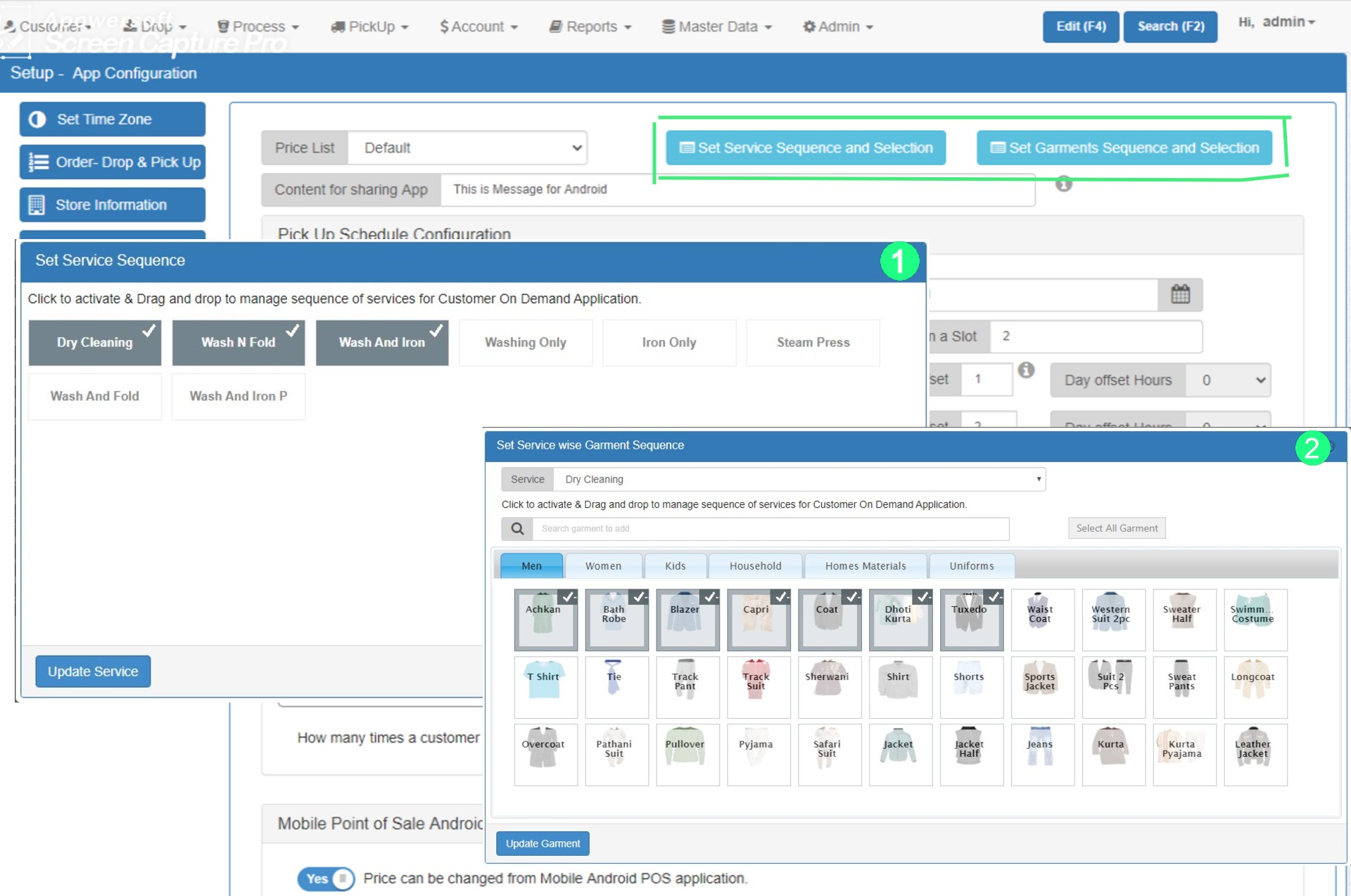
How to configure services and sequence
There you will find 2 option for the service selection:
1. Set Service Sequence and Selection: By clicking this option a pop-up box will appear which helps you to choose the service and there sequence. You just need to click on the services to select them. Also, you can drag them to change their sequence. After making changes you need to press the "Update Service" button to apply changes.
2. Set Garment Sequence and Selection: This option will allow you to choose the garment and their sequence for a particular service. Similar to the selection of service you can select the garment and their sequence by clicking on them.