How to send custom push notification
Sometimes you may want to inform your customers about any new Promotional offer, Grant some wishes, Inform about a holiday, etc. This option will allow you to send a custom push notification which can send any point of time. "Go to Admin-> Email and Mobile App Notifcation-> Custom Push Notification" By clicking the "Custom Push Notification" button on the notification template screen a pop-up will appear by which you can able to send a notification to your customers.
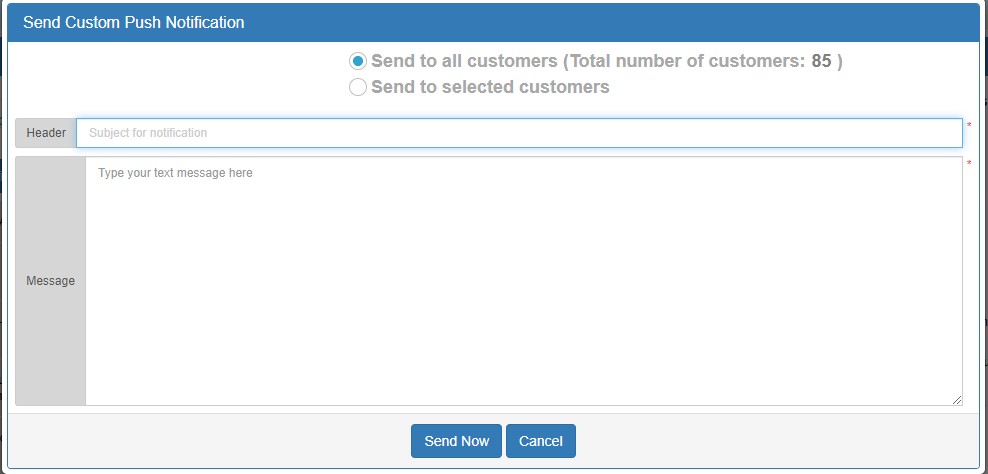
This pop-up has a header section which indicates the Subject of the Notification and Message section which defines the notification content. Also,
Condition 1: If you choose "Send to all customers" option and click "Send Now", the notification will be sent to all the customers.
Condition 2: If you choose the "Send to Selected customers" option it will ask you to choose the customer to whom you want to send custom push notification.
we have to option on the top of the pop-up box is send to all customer or send to selected customers. Conditions are as follows:
Condition 2: If you choose the "Send to Selected customers" option it will ask you to choose the customer to whom you want to send custom push notification.
You just need to select the customers to whom you want to send the notification and click "I am done with the selection of customers: Proceed". It will redirect you to the previous vision and you will able to send Custom Push Notification to selected customers.